Don't miss our holiday offer - up to 50% OFF!



TUYA WiFi/ZigBee MCB Smart Circuit Breaker Over Current Under Voltage Protection Power Metering 1-63A Remote Control Switch
Price range: $34.45 through $37.30
TUYA WiFi/ZigBee MCB Smart Circuit Breaker Over Current Under Voltage Protection Power Metering 1-63A Remote Control Switch
This product has had its original Tongou brand logo changed to Chayo, and both brands belong to the same company.
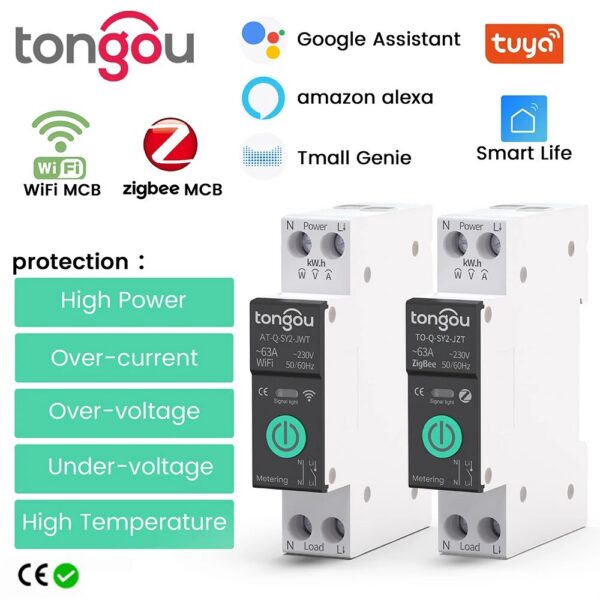
• Over-under protection :Protects against overcurrent and undervoltage, ensuring safe and stable power supply.
• Power protection :Provides protection against power surges and fluctuations, preventing damage to electrical appliances.
• Temperature protection :Operates effectively within a wide temperature range, ensuring reliable performance even in harsh environments.
• Remote control switch :Allows for easy and convenient control of the circuit breaker from a distance, making it easier to manage your home’s electrical system.
TO-Q-SY2 Din Rail Smart Switch pairing operation and function setting
WiFi 1-63A adjustable Function
Feature:
This item is a WiFi MCB Circuit Breaker.With Over-current Protection and Under-voltage Protection and Over-under-voltage Protection, The rated current is adjustable in APP, 1-63A
Remote control at anytime from anywhere by TUYA APP / Smart Life APP
Smart Life app on mobile ,no distance limit
Schedule / Timing, countdown, cycle timing
Parameter:
Working voltage : AC90-280V, 50 / 60Hz
Wireless type : Wi-Fi 2.4GHz
Support system : Android iOS
Rate Current : (1-63A)adjustable
Over-voltage protection : 220-265V
Unde-voltage protection : 76-240V
Temperature protection: 40-100?
Over-Power protection : 1-26KW
WIFI DIN RAIL
SWITCH MODEL
OPEN ANEW ERA
OF INTELLIGENCE
Into Smart With Your DIY Idea
1 . Remote control / 2 . Timing / 3. Temperature protection
4 . Over-current protection
5 . Over-voltage and under-voltage prontection
6 . Real-time monitoring ofelectricity consumption
New updates
Of products
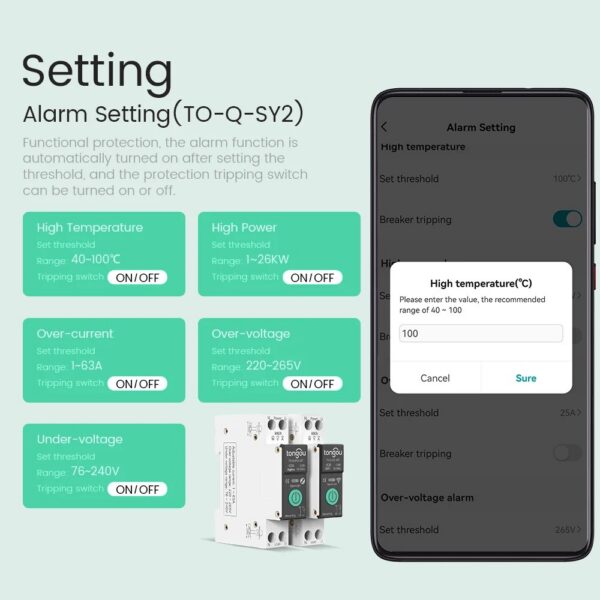
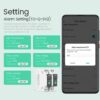
Setting
Alarm Setting (TO-Q-SY2)
Functional protection , the alarm fuction is automatically turned on after setting the theshold , and the protection trpping switch can be turned on or off .
Safe and secure choice
Protection against over-temperature and over-load
over-voltage and under-voltage
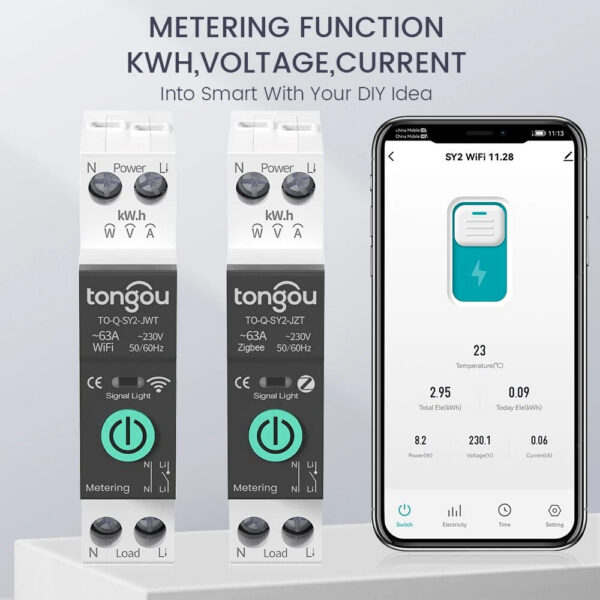
METERING FUNCTIONKWH
VOLTAGE , CURRENT
Into Smart With Your DIY Idea
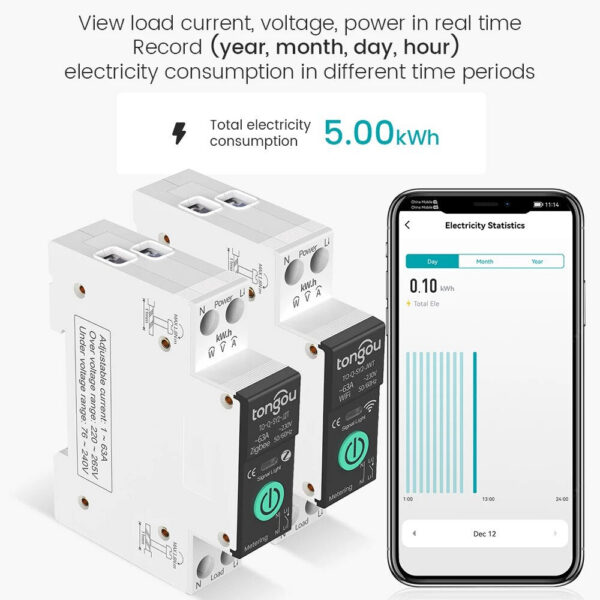
View load current , voltage , power in real time
Record (year , month , day , hour)
electicity consumption in different time periods
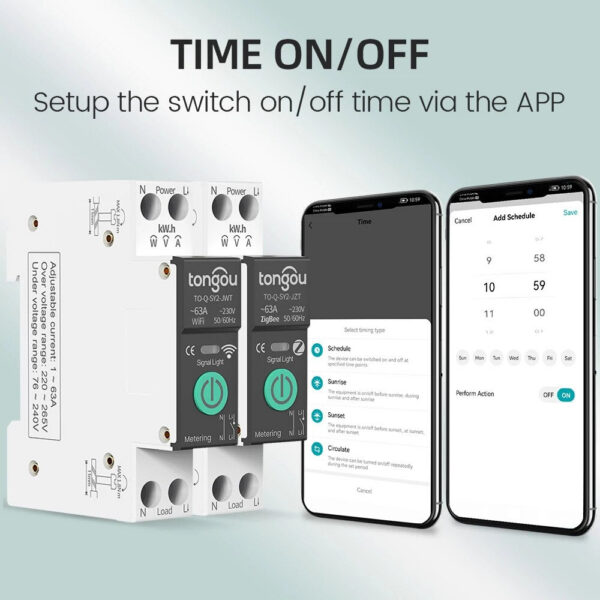
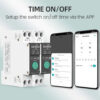
TIME ON / OFF
Setup the switch on / off time via the APP
Three Timing Modes
(Timing Mode / Countdown Mode / Loop Timing)
Timing Mode
Before going home from get off work…
18:30 Turn on the lights.
Countdown Mode
after falling asleep…
turn off the lights after 10 minutes.
Loop Timing
Before waking up / after going to work …
06:00 Turn on the lights. / 08:00 Lights off .
“Hi Google,turn off the light.”
“Okay”
Voice Controls
Voice linkage
What do you want to control ? just say it .
35MM STANDARDIZED MOUNTING
RAILSEASY INSTALLATION
Tight clips snap the rails to use a more
secure and worry-free
Product Details
Touch handle
Sleek design for more comfortable operation.
Flame retardant material
High temperature resistance and flame retardant , effectively improve the safety of use.
Single channel wiring
Tunnel-type wiring port for more secure wiring.
Positioning clip
Press to open easily , Simple installation.
Network Pairing
1 . To connect the wire from the uppper of the WiFi DINRail Switch , the live wire connect to the Lpole , and neutral wire connect to the N pole , please make sure that the wiring is correct and strong WiFi signal.
2 . Turn on the Blue tooth and WiFi of the mobile phone , open the APP,and then long press the”power”button,wait for about 5-10 secaonds , the LED indicator will flash blue light slowly .
3 . Waiting for a while after graphics is displayer the app,or click the”+”in the upper righe corner , then choose the”Add Device”button to waitdaiscovering devi
4 . Enter the wifi account password and click next step,wait for the switch to connect the netwoek .
5.The switch is connected to the network
6 . After the successful connection,the LED indicator will be changed from red slow flashing to red steady light
Zigbee1-63A adjustable Function
Notice :
A note on Zigbee gateway adaptability
1、Wired zigbee gateway: please ensure that the firmware version ≥ 1.19.2(WIFI)/1.0.13(Zigbee)
2, WIFI + Zigbee wireless gateway: please ensure that the firmware version ≥ 1.12.0 (WIFI) / 1.0.8 (Zigbee)
3, Mini multimode gateway (the most common version for home use): please ensure that the firmware version ≥ 1.4.8 (WIFI) / 2.4.1 (Zigbee)
5、Household multi-mode-function gateway (usually with audible and visual alarm function) and Smart Wired Gateway Pro (usually called Matter Gateway), they do not support temperature and current regulation modules
Zigbee version requires a zigbee hub/Gateway for remote control
This product adopts the emerging zigbee technology and professional manufacturing process
Wiring : Power must enter from the top and must be a live line + neutral (L+N)
Feature:
Remote control at anytime from anywhere by TUYA APP / Smart Life APP
Schedule / Timing, countdown, cycle timing
Parameter:
This item is a ZigBee MCB Circuit Breaker.With Over-current Protection and Under-voltage Protection and Over-under-voltage Protection, The rated current is adjustable in APP, 1-63A
Working voltage : AC90-280V, 50 / 60Hz
Support system : Android iOS
Rate Current : (1-63A) adjustable
Over-voltage protection : 220-265V
Unde-voltage protection : 76-240V
Temperature protection: 40-100?
Over-Power protection : 1-26KW
ZIGBEE DIN RAIL
SWITCH MODEL
New product updates
A Whole Linkage of Your Smart
Connected Zigbee devices and other WiFi devices in the App is now forming a whole house linkage forthe smart hub
Product Details
Touch handle
Sleek design for more comfortable operation.
Flame retardant material
High temperature resistance and flame retardant , effectively improve the safety of use .
Single channel wiring
Tunnel-type wiring port for more secure wiring.
Positioning clip
Press to open easily , Simple installation.
Network Pairing
1 . To connect the wire from the uppper of the WiFi DINRail Switch , the live wire connect to the Lpole , and neutral wire connect to the N pole , please make sure that the wiring is correct and strong WiFi signal.
2 . Turn on the Blue tooth and WiFi of the mobile phone , open the APP,and then long press the”power”button,wait for about 5-10 secaonds , the LED indicator will flash blue light slowly .
3 . Waiting for a while after graphics is displayer the app,or click the”+”in the upper righe corner , then choose the”Add Device”button to waitdaiscovering devi
4 . Enter the wifi account password and click next step,wait for the switch to connect the netwoek .
5.The switch is connected to the network
6 . After the successful connection,the LED indicator will be changed from red slow flashing to red steady light
About Your Shipment:
Preparation Time: The delivery will take approximately 1 week after payment is made, and will be shipped via air express. Please ensure your address is correct when placing your order. If you need to make changes before shipment, please inform us of the updated address.
Contact Us: We strive to provide excellent service. If you have any questions, please feel free to reach out to us. We will respond promptly and do our best to resolve any issues.
About Guarantee: Failed to receive after 60 days of purchase date or not satisfied. We will either issue you a refund or resend a new item. Guaranteed!
| Rated Current | ZigBee 1-63A, WiFi 1-63A |
|---|
Related products
-

MODIAN D Color Moissanite Small Hoop Earrings 925 Sterling Silver Hollow Sparkling Ear Buckles For Women Wedding Fine Jewelry
$48.44 -
TTlock Smartkey Lock Box Home Key Wireless Smartlock Box Electronic Key Box App Digital Code Bluetooth Key Safe Padlock for Host
$96.87 -

Male Chastity Cage Erotic Urethral Lock Sex Toys Device Penis Ring Male with 4 Size SM Products Cage Chastete Penis Sleeve
Price range: $23.74 through $25.10Select options This product has multiple variants. The options may be chosen on the product page -

MODIAN 925 Sterling Silver Exquisite Eternity Band Paraiba Color CZ Ring Mint Green Stackable Rings For Women Fine Jewelry
Price range: $29.34 through $44.28Select options This product has multiple variants. The options may be chosen on the product page
Reviews
There are no reviews yet.